Understanding SMTP, IMAP, and POP3: The Core Protocols of Business Email

Ever wondered what happens when you hit 'send' or how your email magically appears on all your devices? This guide demystifies SMTP, IMAP, and POP3 – the foundational protocols powering every business email exchange. Understand their roles, differences, and why they're crucial for your modern messaging strategy.
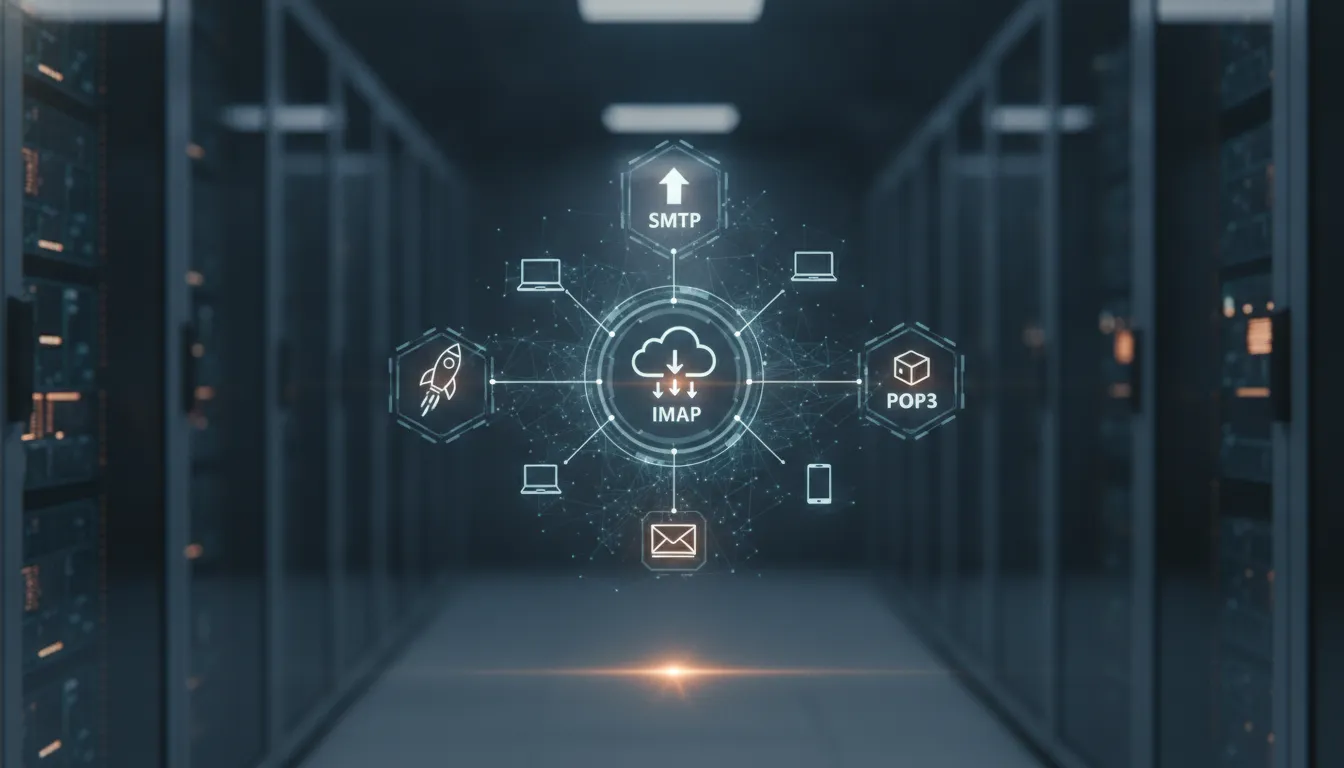

Understanding SMTP, IMAP, and POP3: The Core Protocols of Business Email cover

Understanding SMTP, IMAP, and POP3: The Core Protocols of Business EmailHave you ever configured an email client, seen terms like SMTP, IMAP, or POP3, and just clicked 'next' hoping for the best? Or perhaps you've struggled with emails not syncing across devices, or messages mysteriously disappearing? While email seems simple on the surface, its underlying architecture relies on a few fundamental protocols that, once understood, can dramatically improve how your business manages its communication.For developers building communication features, IT teams managing infrastructure, or businesses simply striving for reliable messaging, grasping these core components is non-negotiable. This guide will demystify SMTP, IMAP, and POP3, explaining their roles, differences, and why understanding them is crucial for modern business messaging.## What is SMTP? The Workhorse for Sending EmailSMTP, or Simple Mail Transfer Protocol, is the industry standard for sending email. Think of it as the postal service for your digital letters. When you hit 'send' in your email client, it's SMTP that takes charge, ensuring your message travels from your Outgoing Mail Server (SMTP server) to the recipient's Incoming Mail Server.How SMTP Works:1. Client to Server: Your email client (Outlook, Gmail web interface, a custom application) connects to an SMTP server, authenticates your identity, and hands over your email.2. Server to Server: Your SMTP server then looks up the recipient's domain (e.g., example.com) to find their mail exchange (MX) record in the Domain Name System (DNS). This record points to the recipient's SMTP server.3. Delivery: Your SMTP server connects to the recipient's SMTP server and transfers the email. The recipient's server then stores the email in their inbox, ready to be retrieved.Key Characteristics of SMTP: Unidirectional: Primarily designed for sending mail. It doesn't handle receiving or storing messages. Port Numbers: Commonly uses port 25 for unencrypted transfers (often blocked due to spam), port 587 for authenticated, encrypted submissions (recommended), and port 465 for implicit SSL/TLS (SMTPS, less common now but still used) [RFC 8314, IANA Port Numbers]. Security: Modern SMTP connections should always use TLS (Transport Layer Security) encryption to protect data in transit. This is often referred to as SMTPS or "SMTP with STARTTLS."For Business: Reliable SMTP is paramount. If your SMTP server is misconfigured or blocked, your critical transactional emails, marketing campaigns, and customer service responses simply won't reach their destination. For developers, understanding SMTP is crucial when working with messaging APIs that send emails, as these APIs ultimately rely on SMTP under the hood.## What is IMAP? Accessing Email from Anywhere, AnytimeInternet Message Access Protocol (IMAP) is the standard protocol for retrieving and managing emails on a mail server. Unlike older protocols, IMAP is designed for multiple device access and continuous synchronization.How IMAP Works:IMAP allows your email client to connect to the mail server and view messages as if they were stored locally. When you open an email client configured with IMAP:1. Synchronization: The client connects to the IMAP server and synchronizes the folder structure and message headers.2. On-Demand Access: When you click on an email, the client fetches its content from the server.3. Real-time Updates: Any action you take – deleting a message, moving it to a folder, marking it as read – is immediately reflected on the server, ensuring all your devices (laptop, phone, tablet, webmail) see the same, up-to-date mailbox [RFC 3501].Key Characteristics of IMAP: Multi-Device Synchronization:* The defining feature. Your mailbox is consistent across all devices. Server-Side Storage: Emails are stored on the server, not downloaded and deleted, acting as a central repository. Folder Management: Supports creating, renaming, and deleting folders on the server. Online Access: Requires a persistent or frequent connection to the internet to function effectively. Port Numbers: Typically uses port 143 for unencrypted connections and port 993 for encrypted (IMAPS) connections.For Business: IMAP is the preferred choice for modern business communication. It ensures that your sales team, support staff, and management can access vital communication from any device, share access to team inboxes, and maintain a unified message history. Data loss due to a device failure is also mitigated as emails reside on the server.## What is POP3? The Legacy Approach to Email RetrievalPost Office Protocol version 3 (POP3) is an older, simpler protocol for retrieving emails. As its name suggests, it functions much like a traditional post office: you pick up your mail, and it's removed from the post office.How POP3 Works:When your email client connects to a POP3 server:1. Download: The client connects, authenticates, and downloads all new emails from the server to your local device.2. Deletion (Default): By default, once emails are downloaded, they are deleted from the server. While most clients offer an option to "leave a copy on the server," this is not its primary design [RFC 1939].3. Local Storage: Emails reside solely on the device that downloaded them.Key Characteristics of POP3: Single-Device Focus:* Best suited for accessing email from one primary device. Local Storage: Emails are stored locally, freeing up server space (though this is less of a concern with modern storage capacities). Offline Access: Once downloaded, emails can be accessed without an internet connection. Limited Synchronization: Actions taken on one device do not reflect on the server or other devices. Port Numbers: Uses port 110 for unencrypted connections and port 995 for encrypted (POP3S) connections.For Business: POP3 is generally not recommended for most modern business environments. Its single-device focus makes collaboration difficult, risks data loss if the primary device fails, and leads to fragmented email histories. However, in very niche cases where strict local-only storage is required (e.g., specific archival needs or limited internet access), it might still be considered, but with significant caveats.## IMAP vs. POP3: Which One Should Your Business Use?The choice between IMAP and POP3 significantly impacts how your team accesses and manages email. For almost all contemporary business needs, IMAP is the superior choice.| Feature | IMAP | POP3 || :------------------ | :----------------------------------------------------------------------- | :------------------------------------------------------------------- || Email Storage | Emails remain on the server; client caches copies. | Emails are downloaded to the client; often deleted from server. || Device Access | Multiple devices can access and synchronize the same mailbox. | Primarily designed for single-device access. || Synchronization | Full synchronization across all connected clients; actions reflect everywhere. | No synchronization; actions on one device don't affect others. || Offline Access | Limited offline access to previously downloaded or cached messages. | Full offline access to all downloaded messages. || Folders | Supports server-side folders; consistent view across devices. | No server-side folder management; limited to local folders. || Data Loss Risk | Lower risk; emails are on the server, device failure doesn't mean mail loss. | Higher risk; device failure can mean permanent mail loss if not backed up. || Server Space | Consumes more server space as all emails are stored there. | Can free up server space as emails are downloaded and removed. || Use Case | Modern businesses, teams, multi-device users. | Legacy systems, single-user on one device, specific local archiving. |Recommendation: Unless you have a very specific, isolated use case that demands local-only storage and single-device access, always choose IMAP for business email. It facilitates collaboration, ensures data integrity, and supports the flexibility required in today's mobile-first work environment.## Why These Protocols Are Critical for Business CommunicationUnderstanding SMTP, IMAP, and POP3 isn't just technical trivia; it's fundamental to building a robust and reliable business communication infrastructure.1. Reliable Delivery: Proper SMTP configuration ensures your transactional emails, customer service responses, and marketing campaigns reach recipients. Authentication (like SPF, DKIM, DMARC) works hand-in-hand with SMTP to verify your sending identity and improve deliverability.2. Consistent Data Access: With IMAP, your team has a consistent, up-to-date view of all correspondence, regardless of the device they're using. This is vital for sales teams tracking leads, support agents resolving tickets, and project managers keeping tabs on communications.3. Data Retention and Compliance: Since IMAP keeps emails on the server, it simplifies data retention policies and can aid in compliance efforts, ensuring that communication records are maintained centrally and are easily auditable.4. Security and Privacy: Configuring these protocols with TLS/SSL encryption is non-negotiable for protecting sensitive business communications from eavesdropping and tampering during transit.5. Integration Flexibility: Whether you're configuring a desktop client, setting up a mobile app, or integrating email capabilities into a custom application via a messaging API, knowledge of these protocols provides the foundational context for successful implementation.## Common Pitfalls and Best PracticesEven with a clear understanding, missteps can occur. Here's how to avoid common issues: Using Unencrypted Connections: Always configure your email clients and applications to use encrypted ports (587/465 for SMTP, 993 for IMAP, 995 for POP3) with TLS/SSL. Unencrypted email is easily intercepted. Incorrect SMTP Authentication: Forgetting to enable SMTP authentication (username and password) is a common error, leading to failed sends. Most modern SMTP servers require it. Choosing POP3 for Teams: As discussed, using POP3 for a team or multi-device user will lead to synchronization headaches and potential data loss. Stick to IMAP. Ignoring DNS Records: SPF, DKIM, and DMARC DNS records are crucial for email authentication and improving deliverability. Ensure these are correctly set up for your sending domain, regardless of which SMTP service you use. Mismanaging Server Space (for IMAP): While IMAP keeps emails on the server, excessive attachments or very large mailboxes can still hit storage limits. Regularly archive or clean up old messages.## Simplifying Communication with a Unified PlatformManaging separate SMTP, IMAP, and POP3 configurations, often across multiple services for different teams or functions, can quickly become complex. What if you also need to integrate SMS, WhatsApp, or Telegram for customer communication? The challenge escalates.This is where a unified messaging platform like Supromail shines. Supromail simplifies the complexity by bringing all these foundational email protocols – SMTP, IMAP mailboxes, and Webmail – together with other critical communication channels like SMS, WhatsApp, and Telegram. Instead of grappling with individual protocol settings, you manage everything from a single, intuitive interface.With Supromail, businesses leverage their own domains for email, ensuring brand consistency, and manage their various communication channels. You can configure dedicated IMAP mailboxes for teams, use robust SMTP for campaigns and transactional messages, and integrate other channels, all while maintaining centralized logs, routing rules, and delivery tools. [INTERNAL LINK: Beyond Email: Architecting a Unified Messaging Infrastructure for Modern Business] This approach abstracts away the intricate details of each protocol, allowing you to focus on effective communication rather than infrastructure management.For developers, Supromail offers powerful messaging APIs that streamline the integration of email alongside other channels. You interact with a single API, and Supromail handles the underlying protocol complexities, allowing you to focus on building features faster. [INTERNAL LINK: Choosing a Messaging API: Integrating Email, SMS, WhatsApp, and Telegram for Business]## ConclusionSMTP, IMAP, and POP3 are the invisible pillars supporting nearly all modern email communication. Understanding their distinct roles and how they interact is essential for anyone involved in business messaging, from configuring an email client to designing a scalable communication infrastructure. While POP3 remains a legacy option, SMTP and IMAP are indispensable for sending and receiving professional emails reliably.By prioritizing secure configurations and choosing IMAP for multi-device access, businesses can build a foundation for efficient and effective email communication. As communication needs grow, platforms that unify these core email protocols with other channels offer a strategic advantage, simplifying management and enhancing overall messaging capabilities.Ready to streamline your business communication across all channels, from email to chat apps, with robust underlying protocol support? Explore Supromail today.## FAQ### What is the primary difference between IMAP and POP3?IMAP (Internet Message Access Protocol) synchronizes your emails across multiple devices, storing them on the mail server. This means changes made on one device are reflected everywhere. POP3 (Post Office Protocol version 3) typically downloads emails to a single device and often deletes them from the server, making it harder to access them from other locations.### Which email protocol is better for business use?For most modern businesses, IMAP is superior. It offers multi-device synchronization, server-side storage, better organization with folders, and continuous access to all your mail history, which is crucial for collaboration and data retention. POP3 is generally considered legacy and less suitable for environments where multiple devices or team members need access to the same mailbox.### What role does SMTP play in email communication?SMTP (Simple Mail Transfer Protocol) is solely responsible for sending emails. When you hit 'send' in your email client, SMTP handles the transfer of that email from your client to your outgoing mail server, and then from your server to the recipient's server. It's the delivery truck of the email world.### Are email protocols secure?By default, older versions of these protocols might transmit data in plain text. However, modern implementations use encryption like TLS/SSL (e.g., SMTPS, IMAPS, POP3S) to secure communication channels. Always ensure your email client and server are configured to use these encrypted versions (often on ports 465/587 for SMTP, 993 for IMAP, and 995 for POP3) to protect your data during transit.### Can I use SMTP, IMAP, and POP3 with my own domain?Yes, absolutely. When you use a business email service, it typically provides SMTP, IMAP, and/or POP3 settings that you configure with your own custom domain (e.g., [email protected]). This is fundamental to establishing a professional brand identity. Platforms like Supromail enable you to manage these protocols under your own domain seamlessly.### Do messaging APIs replace SMTP, IMAP, and POP3?Not entirely. Messaging APIs often interact with mail servers that use SMTP for sending and IMAP/POP3 for receiving. For instance, an email API will use SMTP under the hood to send your transactional emails. While APIs abstract away much of the direct protocol interaction for developers, the underlying infrastructure still relies on these foundational protocols for email to function.

Start sending from what you own

Verify a domain, pair a phone, and send your first message in under 10 minutes.

Start sending for free